
Are you trying to open an ETL Trace parser file but not able to see the trace log inside it? When you search for your D365FO user you just see an “Unknown user” on “Select grouping” lookup field?
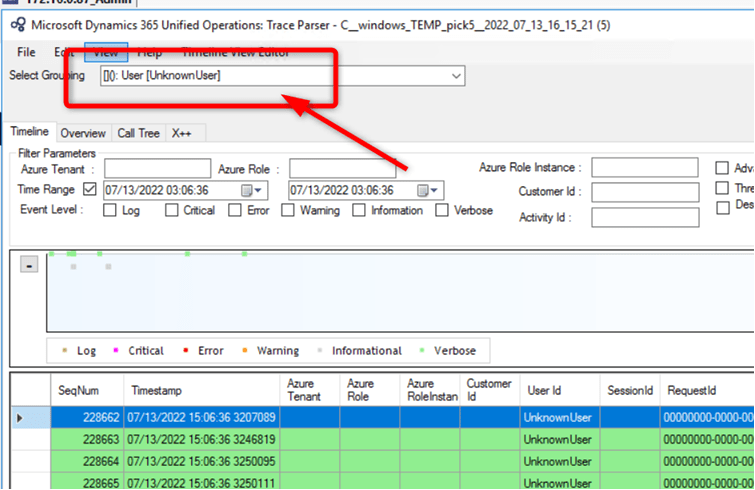
The problem is not the “Trase parser” application, but how the file was generated.
To generate a file that can be read by the Trace parser, the user who performs the trace in D365FO must have the “System tracing user” role assigned, even if he is already a system administrator (see image below)
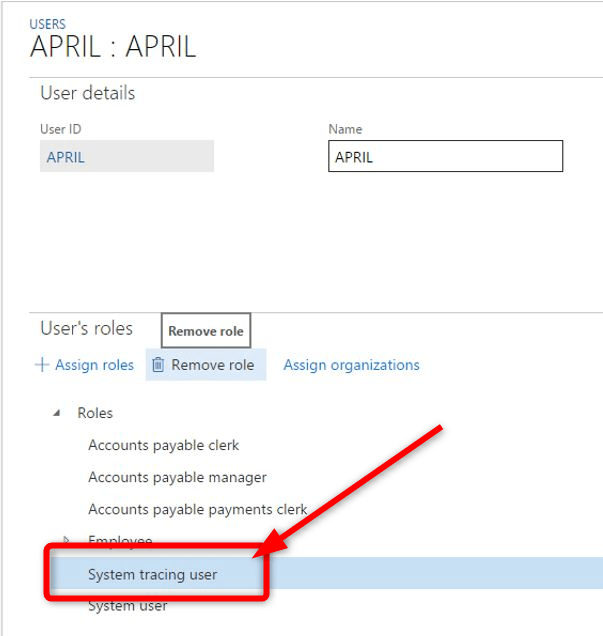
When you have assigned the role create a new trace file, reload it and you will see that you will be able to read it with the trace parser


 AX / Dynamics 365 For Finance and Operations blog
Leave a reply to Neeraj Kumar Cancel reply