
Do you have an existing ER format and you want to change the source mapping model?
It’s simply!
Just access “Electronic reporting” > choose your format > click on “Designer”

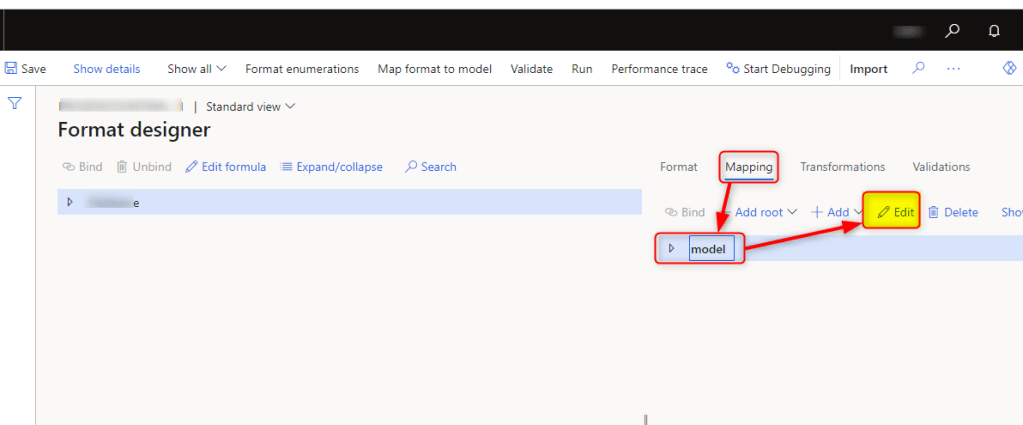
Click on “Mapping”> choose your model > click on “Edit”
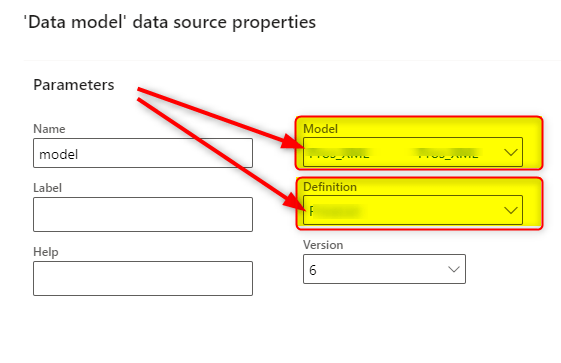
Now you can change the “Model” and the related “Definition“

 AX / Dynamics 365 For Finance and Operations blog
Leave a reply to Het Cancel reply