
By default the name of the electronic reporting output file is made up of :
- “UserId”+ fixed string “.out”.
We can change this name in a static or dynamic way.
In my case I prefer to set a unique name. For example consisting of :
- a static prefix (eg. PriceList) + LegalEntity+ execution date / time
Now let’s see how to set a dynamic filename
Open Workspaces > Electronic reporting > Report Configurations
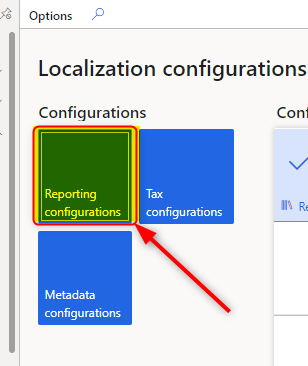
Open your ER Format > Designer

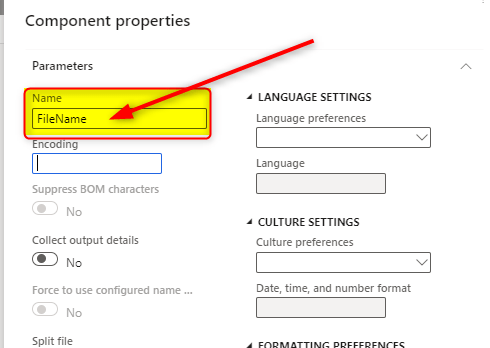
“Add root” > “File”

Give it a unique name (eg.FileName) and click Ok
Now click on edit button of File name property
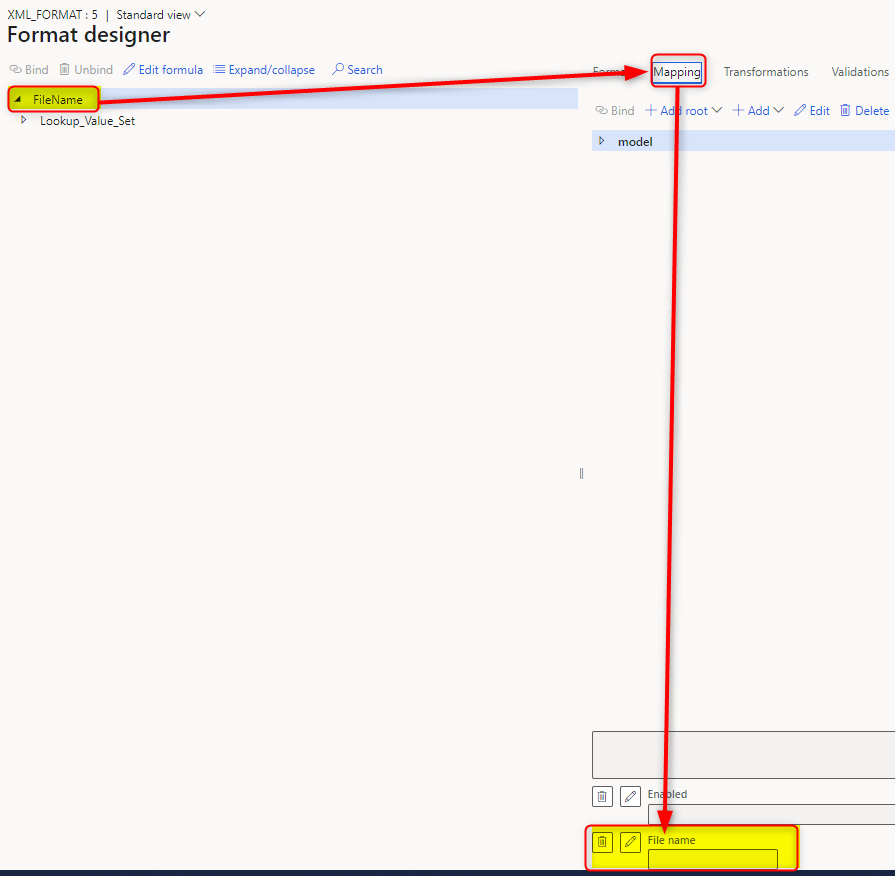
And edit this formula
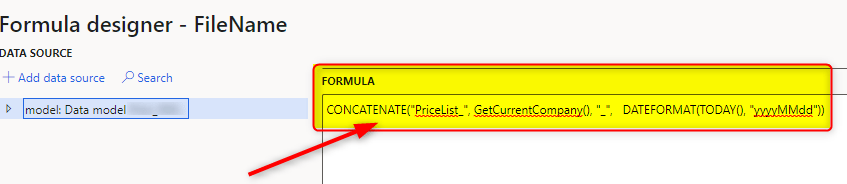
CONCATENATE("PriceList_", GetCurrentCompany(), "_", DATEFORMAT(TODAY(), "yyyyMMdd"))Where :
- GetCurrentCompany() returns the Legal Entity name
- DATEFORMAT(TODAY(), “yyyyMMdd”) returns current date in YYYYMMDD format
You can also do a test of how output should come out by pressing “Test” button
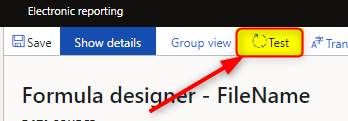
And should be something like that


 AX / Dynamics 365 For Finance and Operations blog
Leave a reply to Anders Dahlin Cancel reply