When you create an action pane to insert some buttons (for example New, Delete, edit buttons) the dafault layout is that
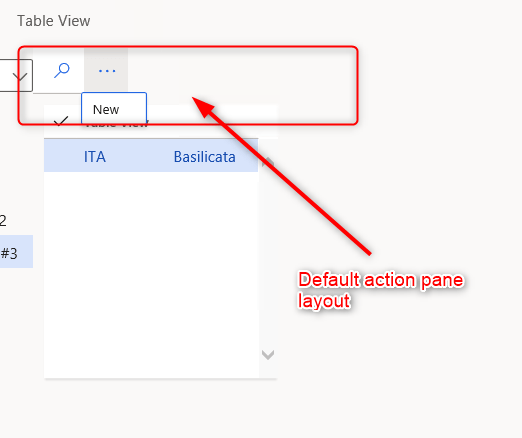
I inserted a “New” command button, but this is not imediatly visible. If you want to use it you have to click on three dots on the bar.
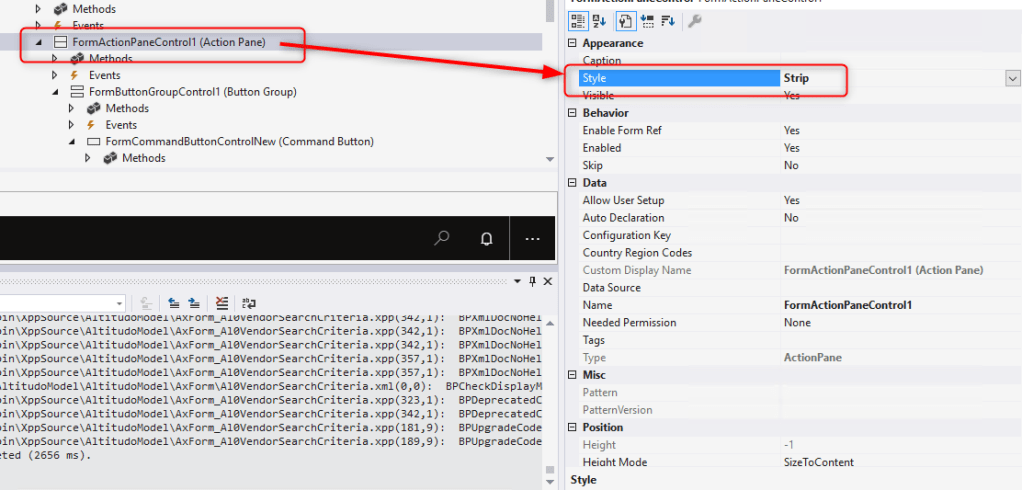
If you want to make every button immediatly visible you have to change a property of the action pane.
Change Style property to “Strip”
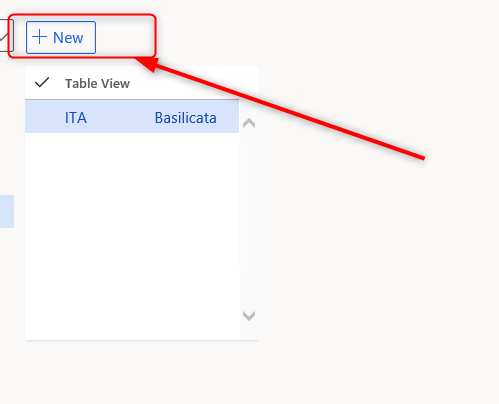
This will be the result

 AX / Dynamics 365 For Finance and Operations blog
Leave a reply to Mostafa Said Cancel reply