You can change the license key, but try to do it in a test environment first. Then you can see if everything is OK after changing the license.
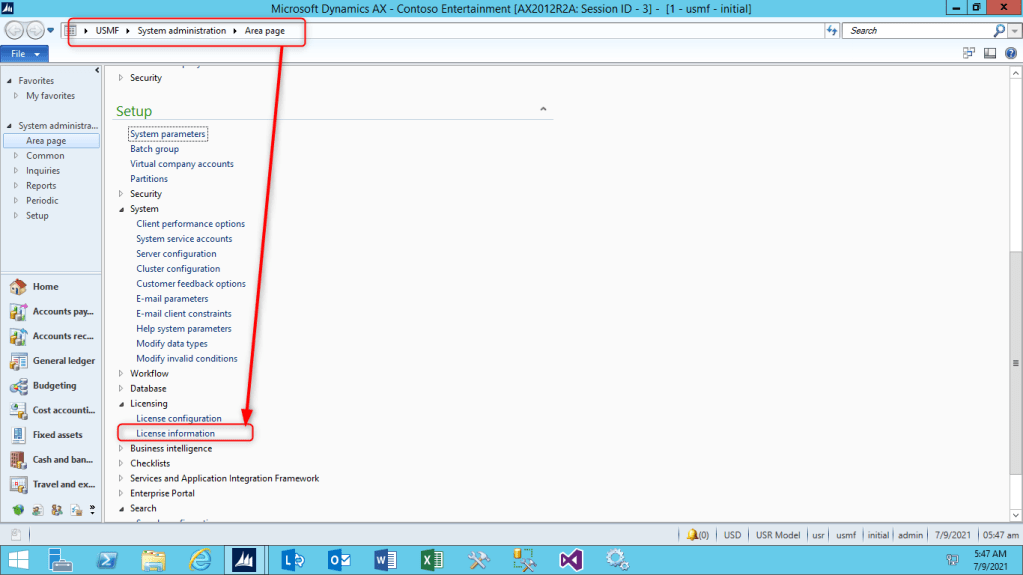
Open the form “License Information” while navigation the following path: System administration, Licensing, Licence information
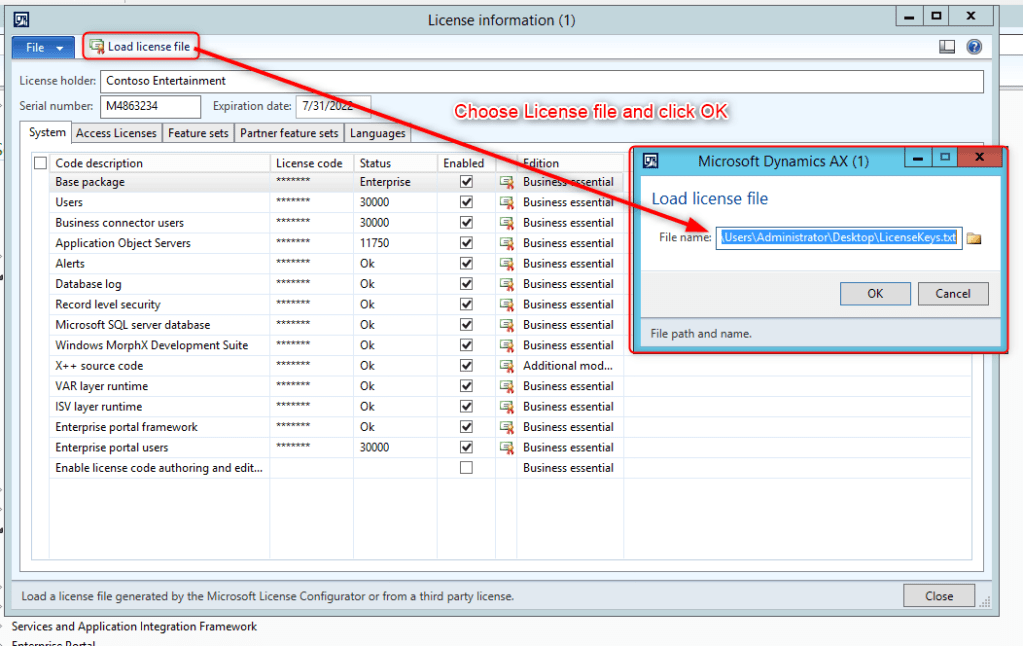
Select the file and click OK.
AX wants to synchronize the database. Click OK.
AX now collects all information if some tables or fields will be emptied if it is not in your license. Check the results carefully. If you have daubts, don’t proceed but check with your partner first.
Good luck!

 AX / Dynamics 365 For Finance and Operations blog
Leave a comment