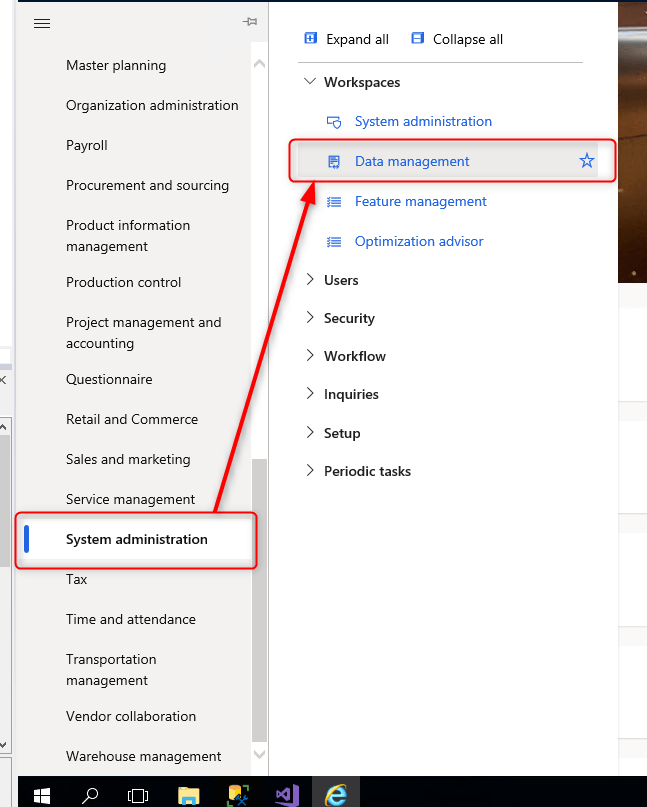
Go to System Administrator, Data Management
Click on “Export”

Give a unique name to the “Group name” field

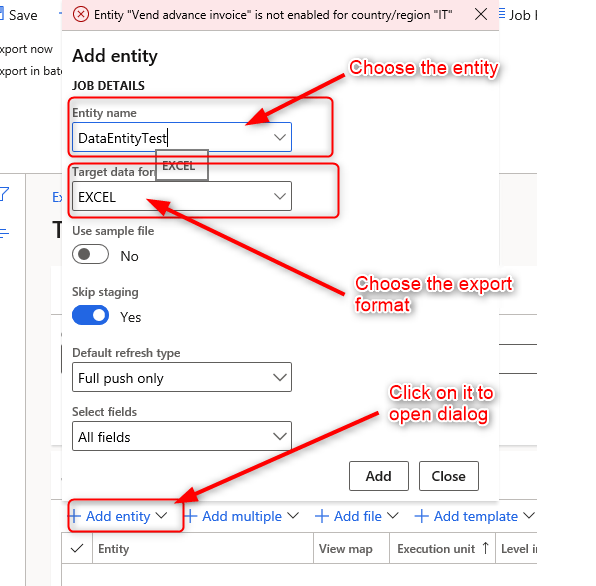
Click on “Add entity” and a dialog form will appear. Choose the entity to export and the outputt format (i.e. EXCEL, etc..)
Click “Close”
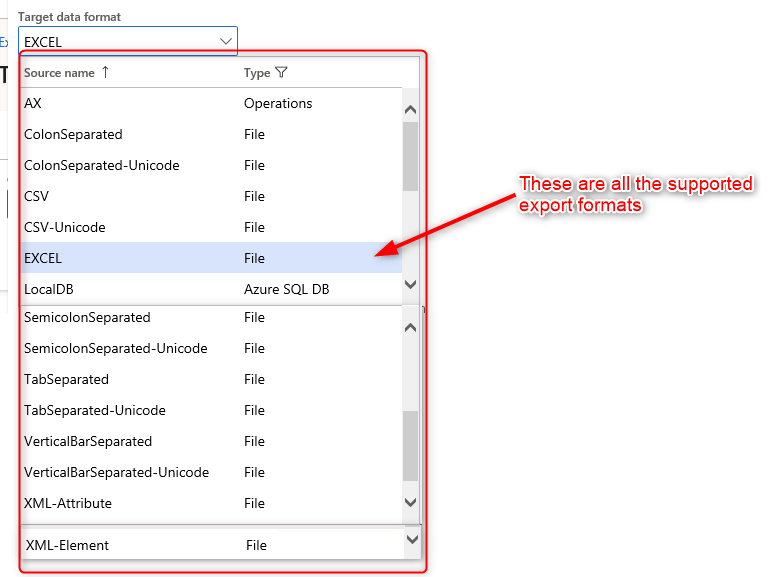
These are all the supported output formats
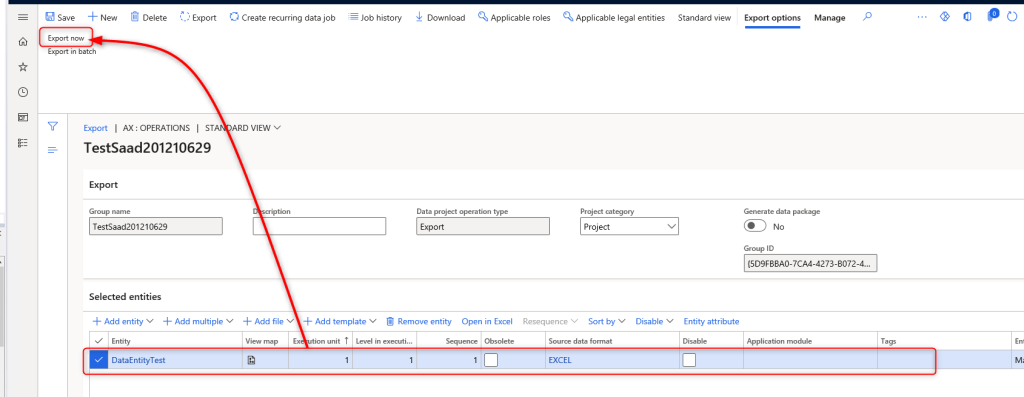
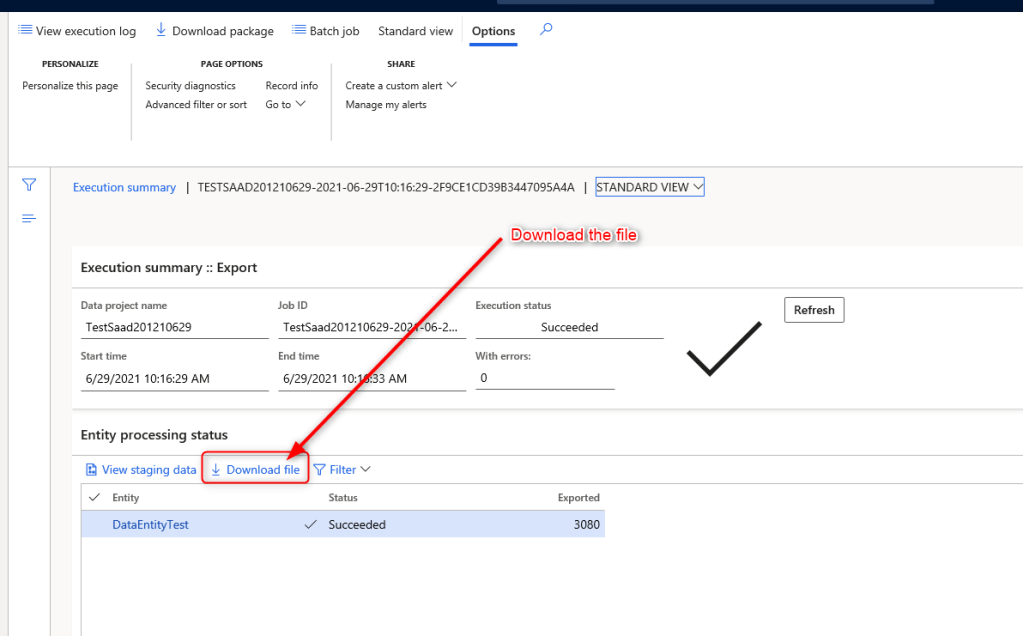
Click on “Export now”

 AX / Dynamics 365 For Finance and Operations blog
Leave a reply to AX – D365FO – Create a Data Entity to export all Vendor Contact informations (Emails, Phones, etc..) – AX / Dynamics 365 For Finance and Operations Cancel reply