Open Visual Studio and create a new Data Entity item “DataEntityTest”

A Wizard will opens. Choose the primary data source (i.e. VendTable). Click Next

Choose the fields you want to show in your data entity. Click Finish

Data Entity, Security Privileges and Staging Table will be created

If you set “Is Read only” to No the data entity will be valid only for Exporting data and not for import. Otherwise set value to Yes to be able to import data to the VendTable

Staging table must be generated. You can do it by right clicking Data Entity and click on “Regenerate staging table”

Synchronize database and Build the solution
Now you have to Refresh data entity to make it visible in Data Entity framework in D365FO.
Open D365FO, go to System Administrator, Data Management

Click on Framework parameters

Switch to Entity settings and click on “Refresh Entity list”. Wait until job will finish. It will take some times.

After job has finished you can search your Entity by clicking on Data Entity Tile and search the entity

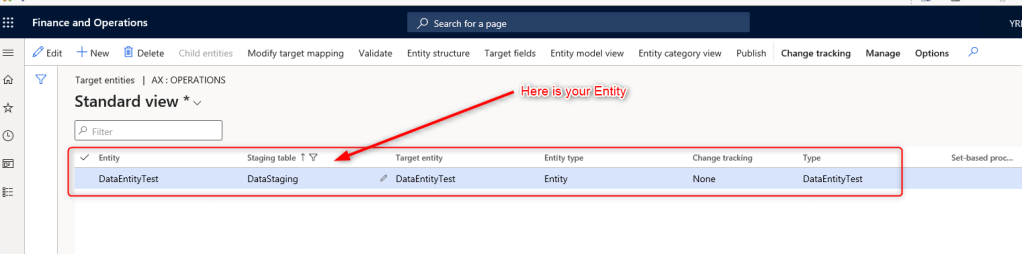
Now you have to Map the Staging table fields with target Entity
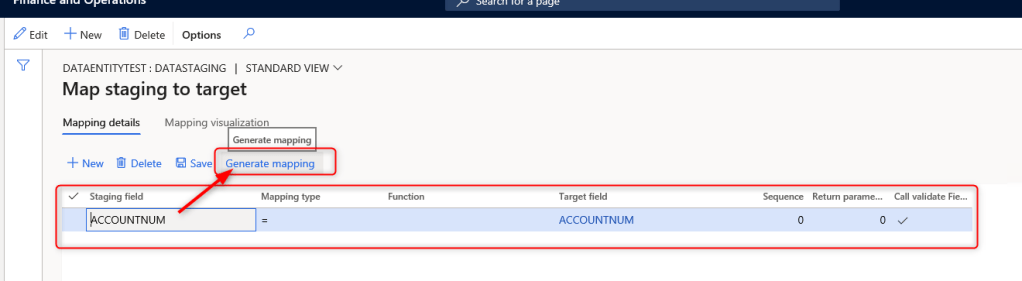
Go to Data Entity, search the entity and click on “Modify target mapping”

Click on “Generate mapping”
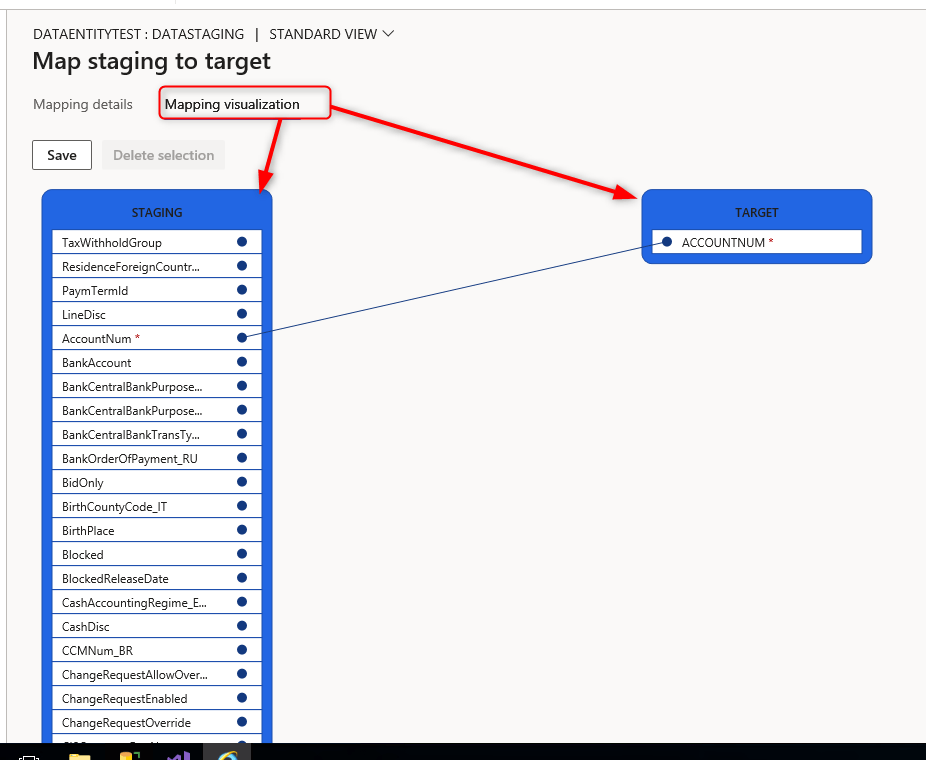
If you click on “Mapping Visualization” you’ll see the mapping.
For convenience I have entered only one field (AccountNum)


 AX / Dynamics 365 For Finance and Operations blog
Leave a reply to D365FO – CREATE A DATA ENTITY – Cairo Dynamics Club Cancel reply