
Suppose you want to create a Data Entity fot VendCertification tablr. This table doesm’t have a unique key except for RecId (Which cannot be used)
If you try to create entity and build this error eccurs “The natural key for the table VendCertification was not found“
How to solve this problem :
- Create an new entity
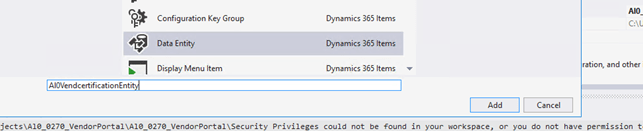
2. In the wizard field “Data EntityName” type “VendCertification” and delete it. After that retype “VendTable” (VendTabls has a natural key)


Click Next

Seselect all fields

Change Data source from “VendTable” to “VendCertification”


Drag and drog fields datasource into Data Entity fields

Generate Staging Table and buil Project


 AX / Dynamics 365 For Finance and Operations blog
Leave a reply to Marco Saad Cancel reply