To publish multiple Data Entities at the same time follow these steps :
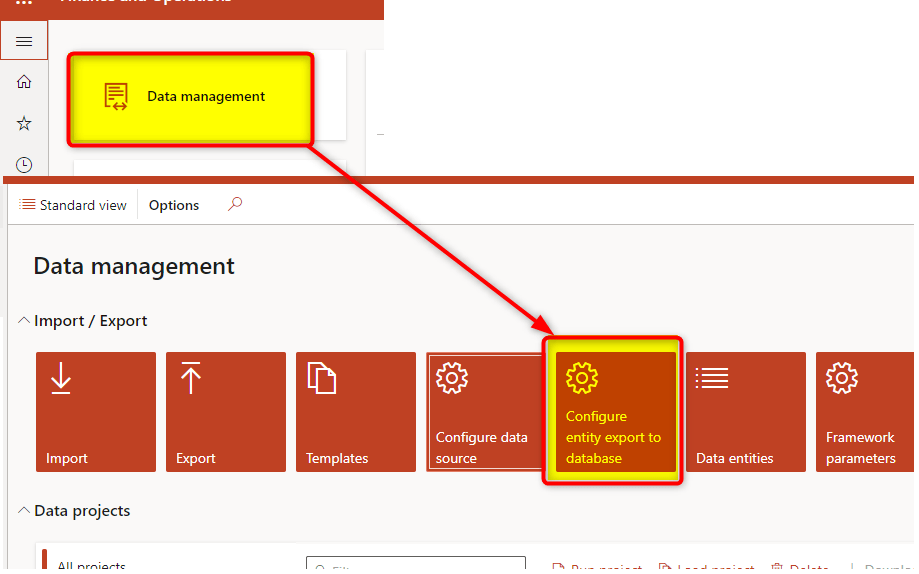
- Access Data Management Workspace and select “Configure Entity export to Database” tile
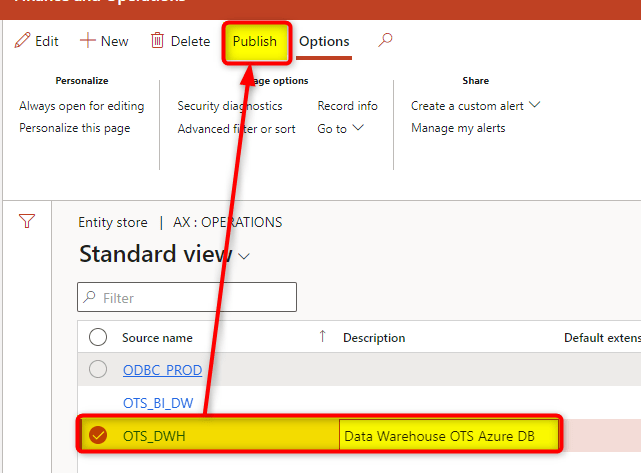
- Choose yuor BYOD connection and click on “Publish”
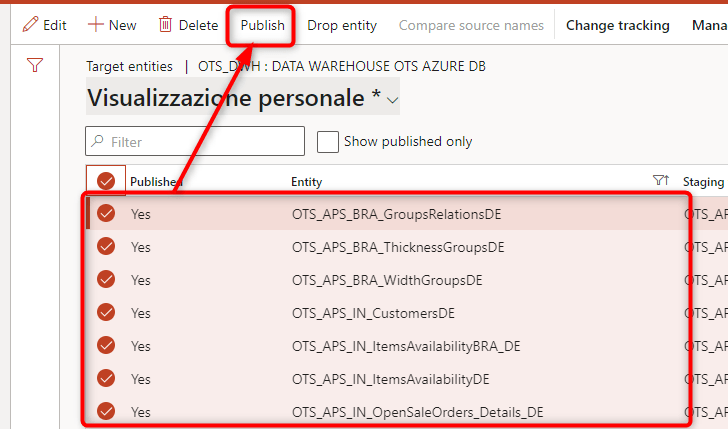
- Filter and Choose the Data Entities you want to publish
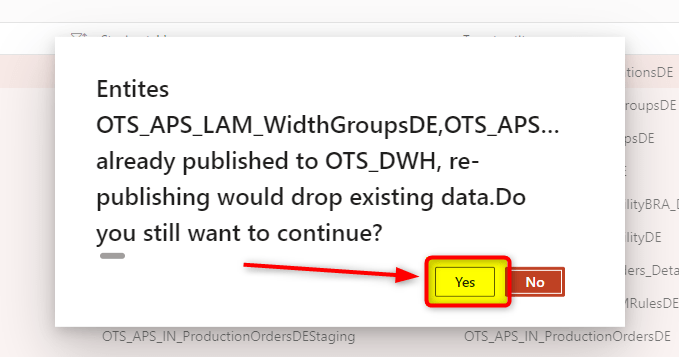
- You’ll be asked to confirm. Choose YES
 AX / Dynamics 365 For Finance and Operations blog
Leave a comment