
If you have enabled database logs for some time you will have noticed that the amount of data grows very quickly. Maybe the time has come to delete some data, perhaps those older than a certain date.
You can do this by running the “Database log cleanup” batch in D365FO under “System Administation”>>”Periodic Tasks”>>”Database”

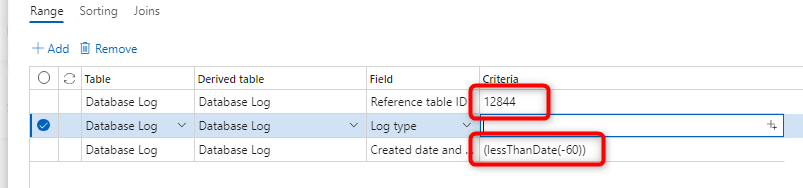
Here I decided to clear all record older then 60 days from tableId 12844 (ProdRoute)
A much faster method is to do it with SQL like shown in example below
DECLARE @Deleted_Rows INT;

SET @Deleted_Rows = 1;

WHILE (@Deleted_Rows > 0)

BEGIN

    BEGIN TRANSACTION

    -- Delete some small number of rows at a time

    DELETE TOP (10000)  SYSDATABASELOG

    WHERE TABLE_ = 12844 -- table InventSerial

    SET @Deleted_Rows = @@ROWCOUNT;

    COMMIT TRANSACTION

    CHECKPOINT -- for simple recovery model

END AX / Dynamics 365 For Finance and Operations blog
Leave a comment