
Did you Implement a new class with SysExtensionFramework and notice the code it never reached?
The reason could be a caching issue. Sometime it caches too much and don’t refresh the cache.
Flush cache via URL
One way to flush the cache is calling a menu item called ACTION:SysFlushAOD.
Append &mi=ACTION%3ASysFlushAOD to your URL:
https://usnconeboxax1aos.cloud.onebox.dynamics.com/?cmp=DAT&mi=ACTION%3ASysFlushAOD
Flush cache via menu
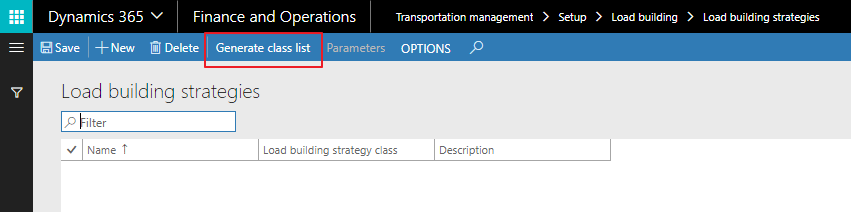
The cache can also be flushed via a menu call under the following path:Transportation management\Setup\Load building\Load building strategies
Click on Generate class list:
 AX / Dynamics 365 For Finance and Operations blog
Leave a comment