
To create a new purpose go to Organization administration > Global address book > Address and contact information purpose

Click New
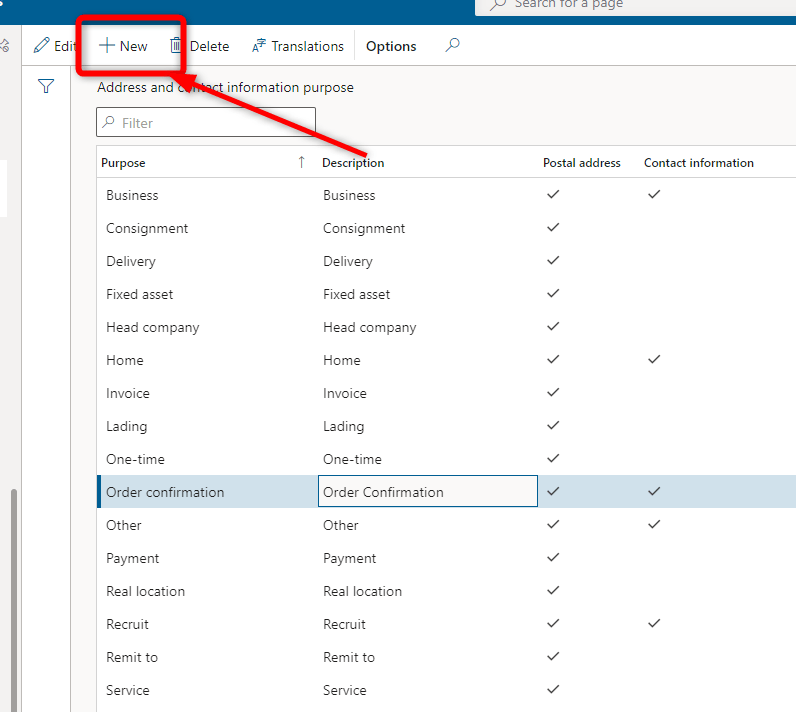
To add a new purpose, click New, and then enter the name of the purpose and a brief description. Then select the Postal address or Contact information check box to specify whether the purpose is used for address records or contact information records.

 AX / Dynamics 365 For Finance and Operations blog
Leave a comment