You can use organizational hierarchies to view and report on your business from various perspectives. For example, you can set up one hierarchy for tax, legal, or statutory reporting.
- Go to Organization administration > Organizations > Organization hierarchies.

- Select New.
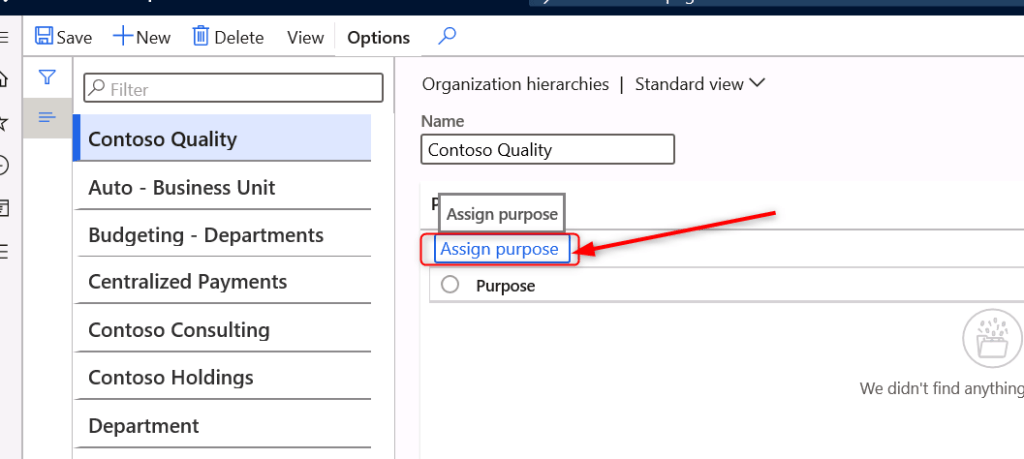
- In the Name field, type a value, such as ‘Contoso Quality’.

- Select Assign purpose. In the list at the left, find and select a purpose to assign to your organization hierarchy, such as ‘Expenditure internal control’.
- Select Add in the Assigned hierarchies section. In the list, find and select the hierarchy that you just created, ‘Contoso Quality’.
- Select OK. In the list, find and select your hierarchy.

- Select View hierarchy.

- Add organizations, as necessary. To add an organization, select Edit and then select Insert to add the organization.

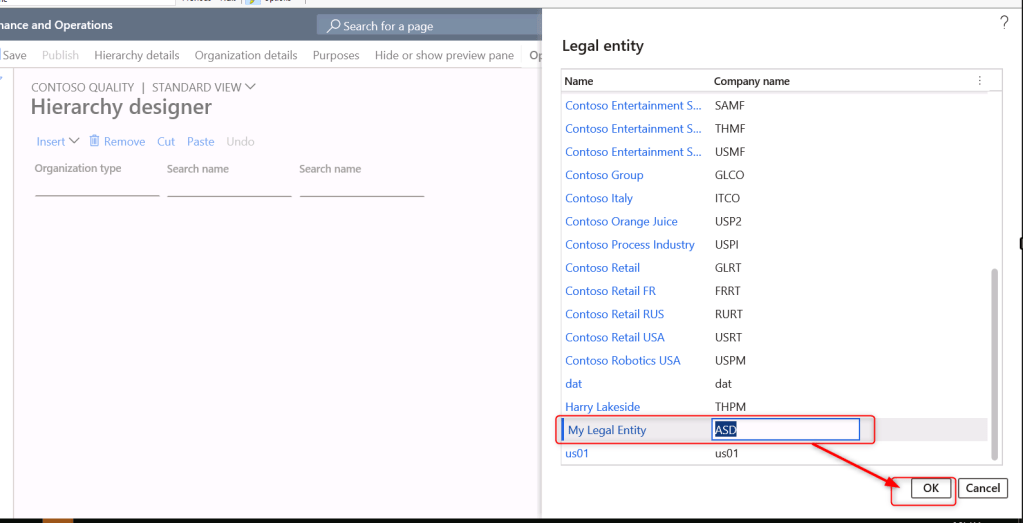
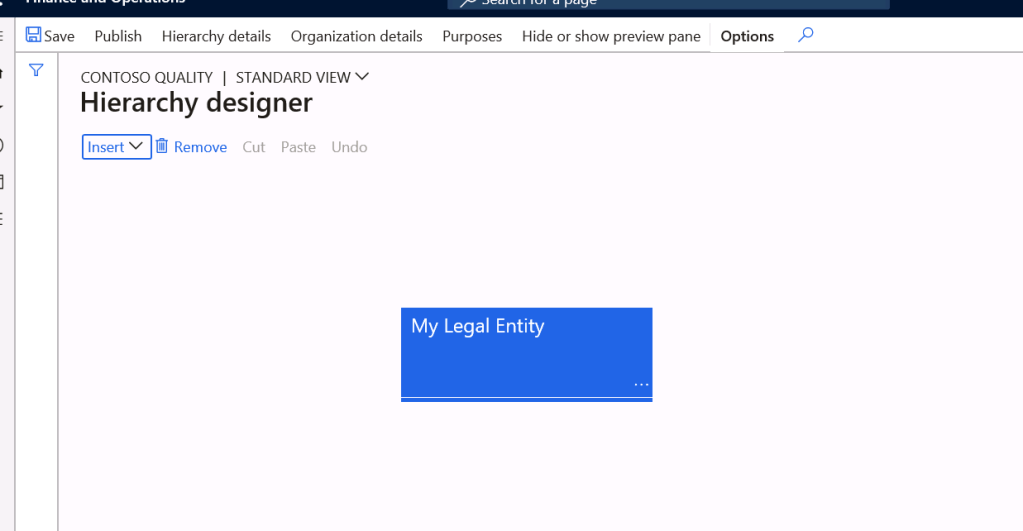
- Now select Department

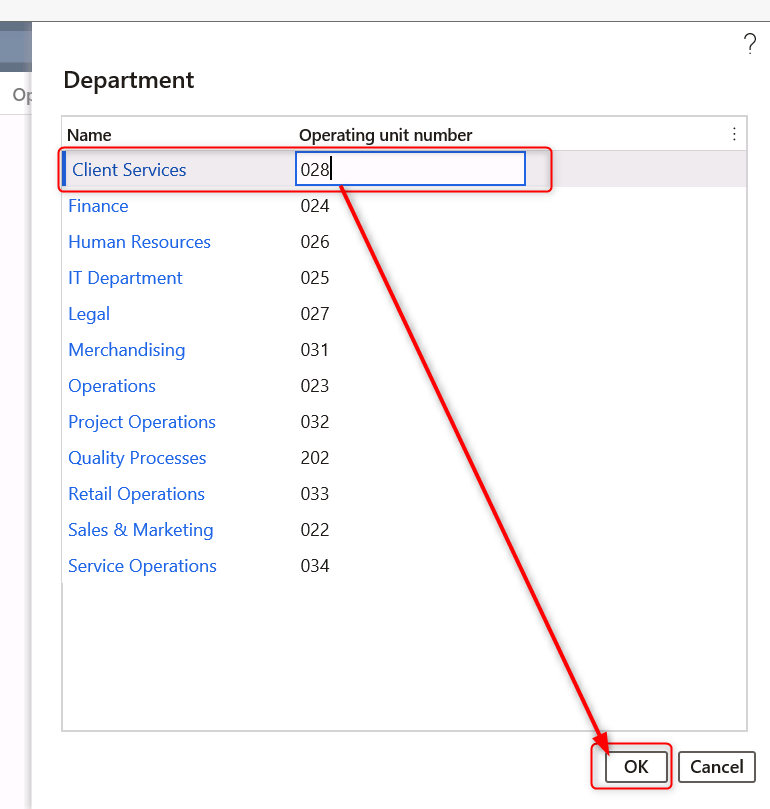
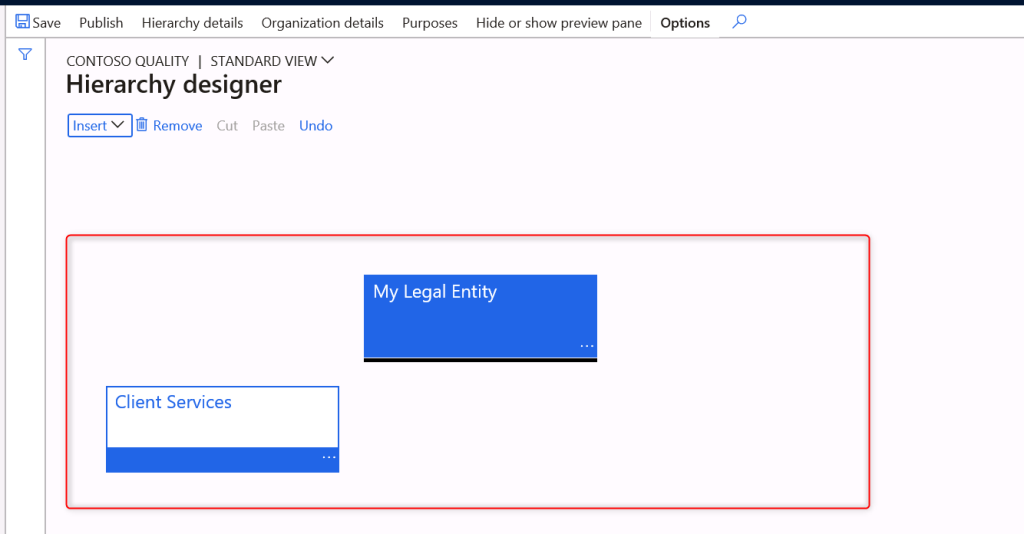
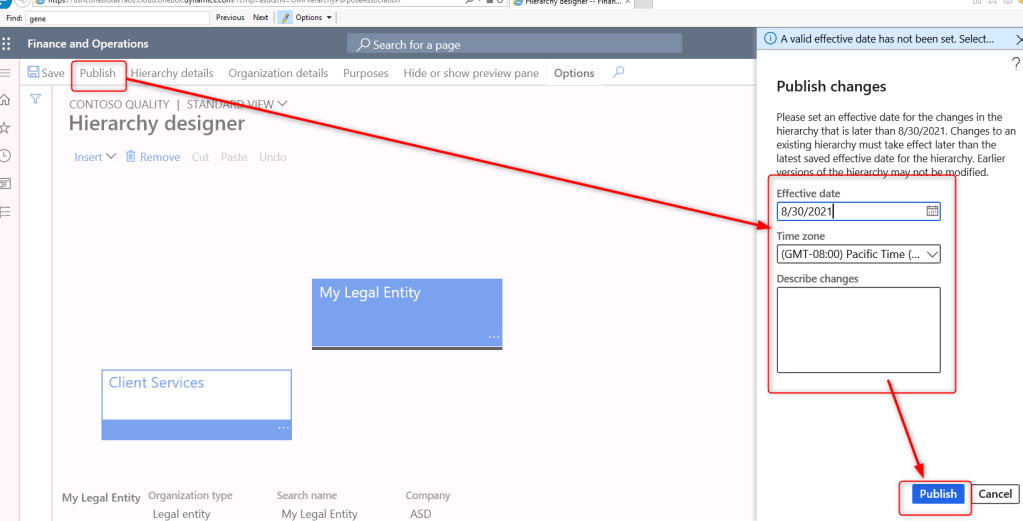
- When you are done making changes you can save a draft and/or publish the changes.
 AX / Dynamics 365 For Finance and Operations blog
Leave a comment