In this example we’ll explain how to add a new parameter in the “Project and Sourcing” menu, under “Procurement and sourcing parameters” Form

Expected result :
This is te expected result we want to obtain

To do this in X++ :
Create an extension of the “VendorInformationFormConfiguration” table
Add a new field “Al0IssuerPartyDefaultValue” of type Int64 that derives from “VendCertificationIssuer” Extended data type


Add the fiedld into field groups “VendorCollaboration”

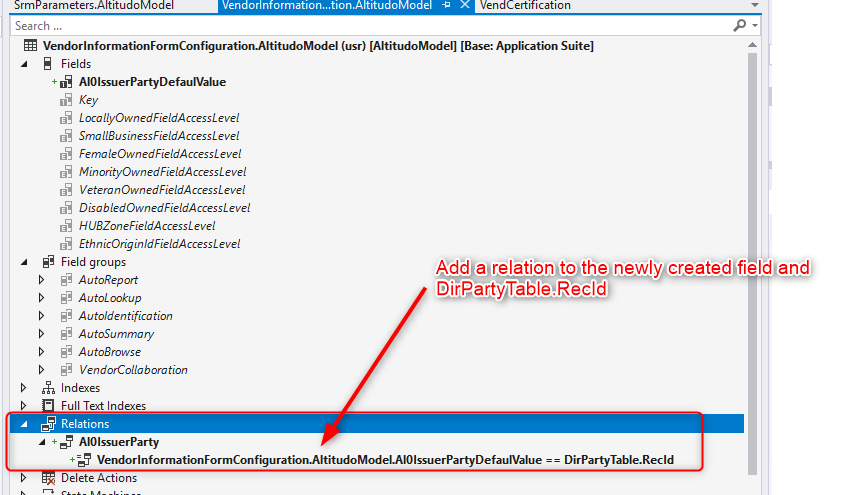
Add a relation to the newly created filed to the DirPartyTable.Recid
You”ll find the newly created fiedl into “VendorCollaborationGoup” group Form

 AX / Dynamics 365 For Finance and Operations blog
Leave a comment